Convert, compress, and download videos and photos on your PC.
One free desktop app for Windows and Linux. Shrink large files for messaging, switch formats, or save online videos with no limits or watermarks.
- Free, no sign-up
- Works offline
- No watermarks
- Windows & Linux

5 tools in one app
Handle videos, audio, and photos in a few clicks.
Pick a task, drop your files or paste a link, and track everything in real time.
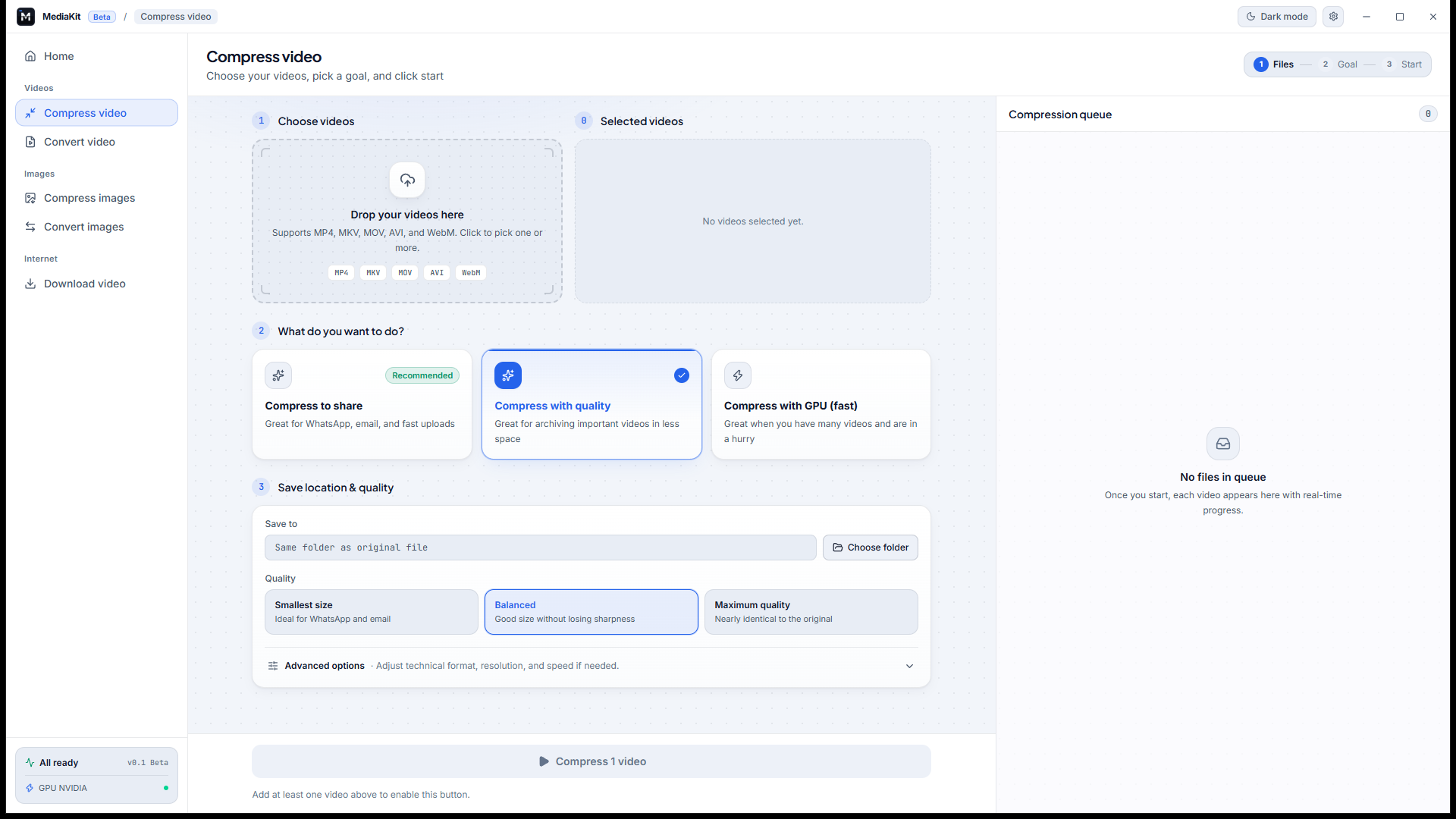
- Simple presets: smallest size, balanced quality, or fast mode
- Optional resolution scaling (1080p, 720p, 480p)
- Shrink multiple videos at once in a background queue
Simple and private
Runs right on your computer instead of random upload websites.
No ad-heavy converter sites, no file size caps, and no waiting in online queues.
Complete privacy
Your videos and photos never leave your computer. Nothing is uploaded to external servers.
Originals stay safe
MediaKit always saves a fresh copy into your chosen folder. Original files are never deleted or overwritten.
Whole folders at once
Drop a batch of files into the queue and let MediaKit process them while you keep working.
Free, no limits
Use it as much as you want, with files of any size, no sign-up, and no watermarks.
Looking for technical architecture, source code, and supported codecs?
Read technical docs on GitHubFree download
Get MediaKit now.
Pick the installer for your system. Links always pull the latest release from GitHub.
Windows 10 & 11
Works on any Windows 10 or 11 (64-bit) PC.
All-in-one installer. Download, open, and start using right away.
MediaKit_0.2.0_x64-setup.exe
Because this free open-source app does not have a paid code-signing certificate yet, Windows may show "Windows protected your PC". Click "More info" and then "Run anyway".
Linux (64-bit)
Works on major 64-bit Linux distributions.
Pick the .deb package (Ubuntu/Debian) or the portable .AppImage.
MediaKit_0.2.0_amd64.deb
MediaKit_0.2.0_amd64.AppImage
Or install from terminal (.deb):
sudo apt install ./MediaKit_0.2.0_amd64.debTo run the portable file (.AppImage):
chmod +x MediaKit_0.2.0_amd64.AppImage && ./MediaKit_0.2.0_amd64.AppImage